
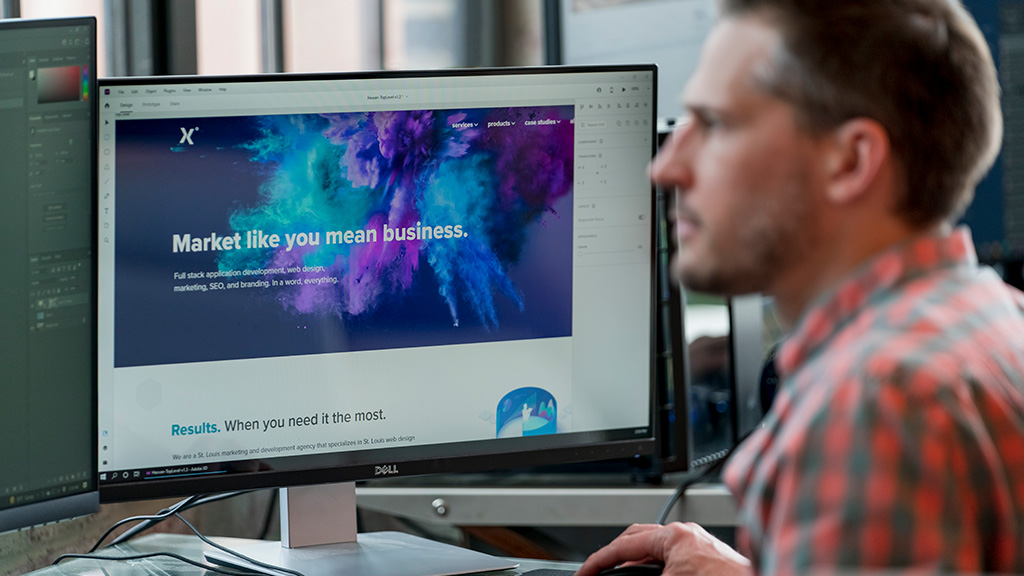

Custom WordPress Development Company
Hexxen provides custom WordPress development services for businesses that need more from their websites. We build, customize, and improve WordPress sites with flexible functionality, reliable performance, and room to grow.



WordPress Development for Businesses of All Sizes
Build a website around your business with professional WordPress development.
WordPress gives businesses flexibility. Hexxen provides custom WordPress development services for businesses that need reliable performance, specific functionality, and greater control over their websites.
Our developers create custom features, improve existing functionality, and handle more complex projects that require additional planning and development. We consider how employees manage the website and how customers interact with it.
We combine web design and WordPress development to create websites that look professional, work across devices, and support the functionality your business needs.
View Development Services
Custom WordPress Features, Themes & Plugins
Extend your website's capabilities with custom WordPress development services.
A WordPress website doesn't have to be limited by the features included in its original theme or plugins. We develop custom WordPress functionality that supports your business operations, content requirements, and the way people use your website.
Our WordPress Development Capabilities
Custom Theme Development: Build or modify WordPress themes around your site's design, layout, and functionality requirements.
Plugin Development & Customization: Create new features or extend existing plugins when off-the-shelf options don't meet your needs.
Backend Development: Configure custom post types, taxonomies, user permissions, and administrative tools to make content easier to manage.
API Integrations: Connect WordPress with CRMs, payment systems, and other applications through custom API development.
Not every feature requires custom development. We also evaluate existing WordPress tools and plugins when they provide a practical, maintainable solution.
Enterprise Software
WooCommerce Development & Custom Ecommerce Solutions
Build and manage online stores with WordPress ecommerce development.
We build WordPress ecommerce websites that help businesses sell products and services, manage orders, and handle online transactions. Our ecommerce development services include WooCommerce customization, specialized shopping features, and integrations that connect online sales with existing business operations.
WordPress Ecommerce Capabilities
- WooCommerce Development: Build and customize online stores, including product catalogs, checkout experiences, and customer accounts.
- Payment & Checkout Integration: Connect payment gateways and develop checkout functionality around your transaction requirements.
- Inventory & Order Management: Connect online sales with inventory systems, shipping providers, and other business software.
- Digital Products & Subscriptions: Sell downloadable products, offer memberships and recurring purchases, or support specialized purchasing models.
Some businesses need a relatively straightforward WooCommerce store. Others require more specialized functionality or a different ecommerce platform. We help determine which approach makes sense before committing to development.
View Ecommerce Services
WordPress Performance, Technical SEO & Usability
Build a faster, search-ready website with WordPress development.
A well-developed WordPress website is built with speed, usability, and search engine accessibility in mind. Hexxen creates better experiences for visitors while making it easier for search engines to access and understand your content.
Our WordPress development work addresses the technical foundations that support website performance and organic visibility:
- Improve page speed and Core Web Vitals by addressing inefficient code, excessive scripts, and other performance issues.
- Develop responsive layouts that work across desktop, tablet, and mobile devices.
- Organize site architecture, navigation, and internal linking to make important content easier to find.
- Support technical SEO through crawlable pages, appropriate redirects, clean URL structures, and other development considerations.
For businesses pursuing broader search visibility, we combine these development capabilities with our SEO services. A technically sound website provides a stronger foundation for that work, but development alone doesn't guarantee higher rankings.
View SEO Services
WordPress Development Built Around Your Business
Work with experienced developers for custom WordPress solutions.
Hiring a WordPress development company means trusting someone with a website your business depends on. At Hexxen, we look beyond individual features to consider how your website operates, how your team manages it, and what it needs to support as your business grows.
Our developers handle both the visible website and the underlying WordPress functionality, bringing design, development, and technical problem-solving together throughout the project.
What You Can Expect From Our Team
- Clear Project Planning: We identify development requirements, explain technical decisions, and keep the work focused on what your business actually needs.
- Security & Reliability: We account for user permissions, software dependencies, updates, and other factors that affect how a WordPress website operates.
- Manageable Websites: We build administrative tools and content structures around how your team actually uses WordPress.
- Ongoing Support: Our website maintenance services help businesses address updates, technical problems, and changing requirements after launch.
We want you to have a website that works for your business and remains practical to manage, not one that requires a developer every time someone needs to update a page or add content.
Hire UsSee our work:
We empower clients to compete in difficult markets, gain performance insights, develop effective marketing plans, develop powerful software, and take action.




See our work:
We empower clients to compete in difficult markets, gain performance insights, develop effective marketing plans, develop powerful software, and take action.
WordPress Development To Help Business Growth
Full-stack WordPress Development Services.
Our full-stack WordPress development services cover the design, functionality, performance, and ongoing support of your website. We bring together web design, custom development, and technical improvements to help businesses build and maintain websites that support their operations.
Our WordPress Development Services Include:
Custom Website Design
We design WordPress websites around your brand, content, and customer needs, with responsive layouts that work across devices. Our web design services bring the visual and functional elements together.
Plugin Development
We develop custom WordPress plugins and modify existing functionality to support features that standard tools don't adequately provide, from specialized content management to business workflows.
Ecommerce Solutions
We build and customize WordPress stores with product management, checkout functionality, customer accounts, and integrations. Our ecommerce website design services also address the shopping experience.
SEO & Performance
We address technical factors that affect website usability and search accessibility, including page speed, responsive behavior, site structure, and crawlability. Our broader SEO services support businesses pursuing greater search visibility.
Security & Access
We account for user permissions, authentication, software dependencies, and other security considerations during development. We also consider how employees will access and manage the website after launch.
Maintenance & Support
Our website maintenance services help businesses manage updates, resolve technical problems, and improve existing functionality as their needs change.
Hexxen did a wonderful job and we are very pleased with their work and the end result
Our website was pushing 12 years old and our company was in desperate need for a new site development. Some of the problems we were experiencing with our old site were that a) the theme was so old and some of the plugins no longer supported that the site was being held together by band aids, and b) the sheer size of the site, which pushed over 1,300 pages (including our entire project portfolio). The old site had certainly long outlived it's intended life. We chose Hexxen through an RFP pro …

Matthew Ball
Counsilman-Hunsaker
What can you build with WordPress?
WordPress is best known as a website and content management platform, but businesses can use it for much more than publishing pages and blog posts. With the right development work, it can support specialized content, customer interactions, ecommerce, and internal processes without requiring an entirely separate application.
Some examples of custom WordPress functionality include:
- Customer & Member Portals: Give registered users access to account information, private resources, documents, or content based on their permissions.
- Searchable Directories: Organize employees, locations, products, service providers, or other records with filters and dedicated detail pages.
- Resource Libraries: Build structured collections of articles, documents, videos, and downloadable materials that employees can update through WordPress.
- Booking & Registration Systems: Support appointment requests, event registrations, availability checks, and related customer communications.
- Custom Business Workflows: Develop forms, approval processes, dashboards, and integrations that help WordPress exchange information with other business systems.
A website might combine several of these features. For example, an organization could operate a public resource directory alongside a private member portal, using one WordPress installation to manage much of the underlying content.
Not every feature belongs inside WordPress, however. The complexity of the application, its data requirements, and the people who will use it all influence the development approach.
WordPress makes website management more accessible.
One of WordPress’s biggest advantages is that businesses don’t necessarily need a developer to manage their everyday content. Staff can publish articles, update pages, replace images, and maintain information through a browser-based administrative interface.
That accessibility becomes especially valuable as a website grows. Marketing teams need to publish content. Sales departments need to update service information. Employees may need to manage locations, profiles, or other records without touching code.
A well-developed WordPress backend can give those teams appropriate control while protecting the parts of the website they shouldn’t need to modify.
Content Editing: Manage text, images, articles, and other website content through an organized administrative interface.
Custom Content Fields: Give employees defined places to enter information rather than asking them to recreate layouts or edit code.
User Roles & Permissions: Assign editing, publishing, and administrative access according to each person’s responsibilities.
Reusable Templates: Maintain consistent layouts across groups of pages while allowing individual content to change.
Accessibility for Website Visitors
Accessibility also matters to the people using the website. WordPress can support accessible navigation, keyboard interaction, descriptive form labels, readable content, and other practices aligned with the Web Content Accessibility Guidelines (WCAG).
But installing WordPress doesn’t automatically make a website accessible. Theme development, plugins, content editing, and interactive features can all affect usability for people with disabilities. We consider those requirements as part of the design and development work.
The distinction matters: a website can be easy for employees to edit and still be difficult for visitors to use. Both sides deserve attention.
Should you use a plugin or invest in custom WordPress development?
Use an existing WordPress plugin when it meets your requirements, and consider custom development when it doesn’t. WordPress has an extensive plugin ecosystem, allowing businesses to add useful functionality without building every feature from scratch. The right choice depends on compatibility, maintenance, and how much customization your website needs.
The trouble starts when a plugin doesn’t quite meet the requirements, several plugins attempt to control the same functionality, or a critical process depends on workarounds that nobody wants to maintain.
| Development Approach | When It Makes Sense |
|---|---|
| Use an Existing Plugin | A maintained plugin already provides the features you need and works with your website’s other components. |
| Configure or Extend a Plugin | The existing product handles most requirements but needs supported configuration, additional functionality, or integration work. |
| Build a Custom Plugin | Your business needs specialized functionality that existing tools cannot support reasonably or reliably. |
| Reconsider the Architecture | The requirements are becoming too complex for the current website structure, or the functionality belongs in another system. |
Consider a business that needs a searchable employee directory. A suitable directory plugin may handle the entire project. Another business might require complicated relationships between departments, locations, permissions, and external databases. That could justify a custom solution.
More Plugins Don’t Automatically Mean a Worse Website
A WordPress site with several well-maintained plugins may perform better and be easier to support than one with a handful of poorly developed custom features.
What matters is how those components interact, who maintains them, and whether they continue to serve a useful purpose.
Is WordPress the right platform for your project?
WordPress works particularly well for businesses that need a flexible content management system. It can support substantial websites, multiple content types, ecommerce, and features developed around specific business needs.
It’s also familiar to many content editors and developers, making it easier to find people who can work with the platform over time.
But WordPress isn’t the right answer to every software requirement.
WordPress is often a strong fit for:
- Business websites with substantial or frequently updated content
- Publishing platforms, resource libraries, and directories
- WooCommerce stores and content-driven ecommerce websites
- Websites that need custom forms, user accounts, or specialized content relationships
- Organizations that want employees to manage content without routine developer involvement
Projects centered on complex transaction processing, highly specialized application logic, or demanding real-time functionality may benefit from a separate application or a different technical architecture.
For example, WordPress could manage a manufacturer’s public website, product information, and customer resources. A specialized manufacturing control system probably shouldn’t run inside WordPress merely because the company already uses it.
Our broader application development services provide another direction when the requirements extend beyond what a content management platform should reasonably handle.
Choosing the right platform early can save a business from expensive redevelopment later.
Our WordPress development process
We approach WordPress projects around the website’s requirements, the people who will manage it, and the work visitors need to accomplish. The process varies by project, but several stages apply to most custom development work.
- Planning & Requirements: We review the website’s intended functions, content needs, existing systems, and business priorities. For redesigns or redevelopment projects, that includes identifying what should be preserved, improved, or replaced.
- Design & Content Structure: We plan the layouts, navigation, page templates, and content relationships. Staff editing requirements matter here, since they influence how the WordPress backend should be organized.
- Development & Configuration: Our developers build the website, configure WordPress, develop custom functionality, and integrate the necessary tools. We select plugins and other components based on their suitability for the project.
- Testing & Review: We test responsive behavior, forms, navigation, user permissions, and major website functionality. Performance, accessibility considerations, and compatibility also receive attention before launch.
- Launch & Handoff: We coordinate deployment, review the live website, and help establish how the client will manage content and future updates.
A straightforward business website and a large custom WordPress project won’t require the same development schedule. Additional integrations, content migration, approval requirements, and specialized features can all affect scope.
WordPress hosting, performance, and ongoing maintenance
Launching a WordPress website is only one part of managing it. Hosting, software updates, backups, and maintenance all affect how reliably the website operates after launch.
Businesses also have choices about where their websites live. WordPress isn’t tied to one hosting provider. Managed WordPress services such as WP Engine are an option, but websites can also run in other compatible hosting environments.
The right choice depends on the size of the website, traffic requirements, administrative needs, technical resources, and budget.
The Details That Matter After Launch
Hosting & Server Resources: The hosting environment needs appropriate PHP and database support, sufficient resources, and a configuration that suits the website’s requirements. A high-traffic ecommerce store may need a different setup than a modest business website.
Updates & Compatibility: WordPress core, themes, and plugins receive updates over time. Changes should be evaluated for compatibility, particularly when custom functionality depends on third-party software.
Backups & Recovery: Backups should cover the files and data required to restore the website. A recovery process matters just as much as the existence of backup files.
Staging Environments: A staging website allows developers to test changes before introducing them to the live site. This is particularly useful for plugin updates, major redesigns, and functionality changes.
Performance Monitoring: Images, scripts, database activity, caching, and hosting resources can affect website speed. Performance work may continue as the website grows.
Security & Access: Appropriate permissions, authentication, updates, and other safeguards help reduce avoidable risks. No WordPress installation is automatically immune to security problems.
Businesses can handle some of these responsibilities internally or work with a development team. Our website maintenance services support ongoing updates, fixes, and technical improvements.
Moving an existing website to WordPress
Businesses may move to WordPress because they want more control over content, need different functionality, or have outgrown their current website platform.
A migration involves more than transferring text and images. Content structures, URLs, forms, media, integrations, and editing workflows may need to be rebuilt or adapted.
Our website CMS migration services can help businesses move from another content management system to WordPress or reorganize an existing WordPress installation.
Important migration work may include:
- Content & Media: Transfer pages, articles, images, documents, and structured content while identifying outdated material that doesn’t need to move.
- URLs & Redirects: Map existing destinations to the new site and implement redirects when addresses change.
- Design & Functionality: Rebuild templates, forms, navigation, and custom features that don’t transfer directly between platforms.
- Search Visibility: Review crawlability, important metadata, internal links, and other technical elements that may be affected by migration.
- Testing & Launch: Check the migrated website’s content, functionality, mobile presentation, and integrations before and after launch.
A move between WordPress hosting providers may be considerably simpler, but it still requires attention to databases, files, DNS, certificates, email-related dependencies, and other configuration details.
Some migrations also present an opportunity to simplify a website’s structure instead of recreating every old page and feature exactly as it existed.
Frequently asked questions about WordPress development
How much does custom WordPress development cost?
Custom WordPress development costs depend on the scope, functionality, and complexity of the website. Design requirements, content, integrations, and specialized features all affect pricing.
A relatively straightforward business website may use established WordPress features and require limited custom development. A complex site with member accounts, specialized content management, ecommerce, or external integrations can require considerably more work.
We review the requirements before recommending a development approach and preparing an estimate. Hosting, paid plugins, and ongoing maintenance may also contribute to the total cost.
Can employees update a WordPress website without a developer?
Yes. Employees can manage many routine WordPress content updates without a developer. WordPress provides an administrative interface that makes those updates possible.
Depending on how the website is built, staff may be able to edit pages, publish articles, maintain directories, update products, and manage images without writing code.
Custom development can make that work easier by providing reusable templates and clearly organized editing fields. More technical changes, such as modifying application logic or developing new features, may still require a developer.
Is WordPress suitable for large or enterprise websites?
Yes. WordPress can support large and enterprise-level websites with extensive content, substantial traffic, multiple user roles, and complex publishing requirements when properly developed and hosted.
Enterprise requirements may introduce additional considerations involving infrastructure, security, permissions, integrations, deployment processes, and performance.
The platform’s suitability depends on the specific project rather than the size of the business alone.
Can you improve an existing WordPress website without rebuilding it?
Yes. Many existing WordPress websites can be improved without a complete rebuild. Targeted development may address performance, functionality, usability, or technical problems.
Depending on its condition, we may be able to:
- Improve performance or resolve technical errors
- Update or customize themes and plugins
- Reorganize content management tools
- Add integrations or new website functionality
- Address usability and responsive design problems
We first need to evaluate the existing theme, plugins, hosting environment, and custom code. Some websites have underlying problems that make more extensive redevelopment the better investment.
Do I have to host my WordPress website with WP Engine?
No. You do not have to host your WordPress website with WP Engine. WordPress supports many hosting providers that meet its technical requirements.
WP Engine offers managed WordPress hosting, but it’s not the only option. Businesses may choose other managed services, traditional hosting, or a more customized infrastructure arrangement.
We consider the website’s technical requirements, performance needs, budget, and maintenance responsibilities when discussing hosting options.
Is WordPress secure?
Yes. WordPress can be used to build secure websites, but security depends on how the website is developed, hosted, updated, and maintained.
Important considerations include:
- Keeping WordPress and its components updated
- Managing user accounts and access permissions
- Using trusted themes and plugins
- Maintaining appropriate hosting and backup practices
- Monitoring and addressing vulnerabilities
Custom development and third-party integrations may introduce additional requirements. Security should be considered throughout the website’s life, not only at launch.
Can I move my existing website to WordPress without losing SEO rankings?
A carefully planned migration can preserve important SEO elements, including content, URL relationships, metadata, and internal links. However, no developer can guarantee that search rankings will remain unchanged after a migration.
Changes to site structure, content, performance, redirects, and search engine indexing can all affect visibility.
We evaluate those factors as part of migration planning and coordinate technical changes to reduce unnecessary disruption.
Will my business own its WordPress website?
Yes. Your website belongs to your business. When Hexxen develops your WordPress website, you retain ownership and control of your site, its content, and the custom work we deliver.
We also want you to have access to your website and the ability to manage it without depending on us for every change. That includes appropriate administrative access and the tools your team needs to update content.
Third-party themes, plugins, and services may have separate licensing terms, but your business retains control of the website we build for you.
Build a WordPress website that works for your business.
A WordPress website should support the way your business operates, give employees practical control over content, and provide a useful experience for visitors. That may mean building something new, improving an existing website, or developing features that standard WordPress tools cannot provide.
We help businesses evaluate those needs and develop WordPress solutions around them. Tell us what your website needs to do, what’s working now, and what’s getting in the way.
Contact Hexxen about WordPress development or call (314) 499-8253 to discuss your project.
Develop. / code
Develop.
/ code